Latest Marketplace Products
Best VR Headsets with WebXR Support for Three.js Developers (2026)

Building immersive WebXR experiences with Three.js requires choosing the right hardware. Whether you're creating interactive 3D applications, virtual showrooms, or browser-based games, having a headset with solid WebXR support is essential. This guide covers the best VR headsets currently available that work seamlessly with Three.js and the WebXR API.
What is WebXR and Why Does It Matter for Three.js?
WebXR is the open standard API that enables web browsers to display immersive VR and AR content. Unlike native applications, WebXR experiences run directly in the browser—no app store approval, no downloads, just a URL. Three.js has excellent WebXR integration, making it the go-to library for creating browser-based immersive experiences.
For developers, this means you can build once and deploy everywhere. Your Three.js WebXR application can work across multiple headsets without platform-specific modifications.
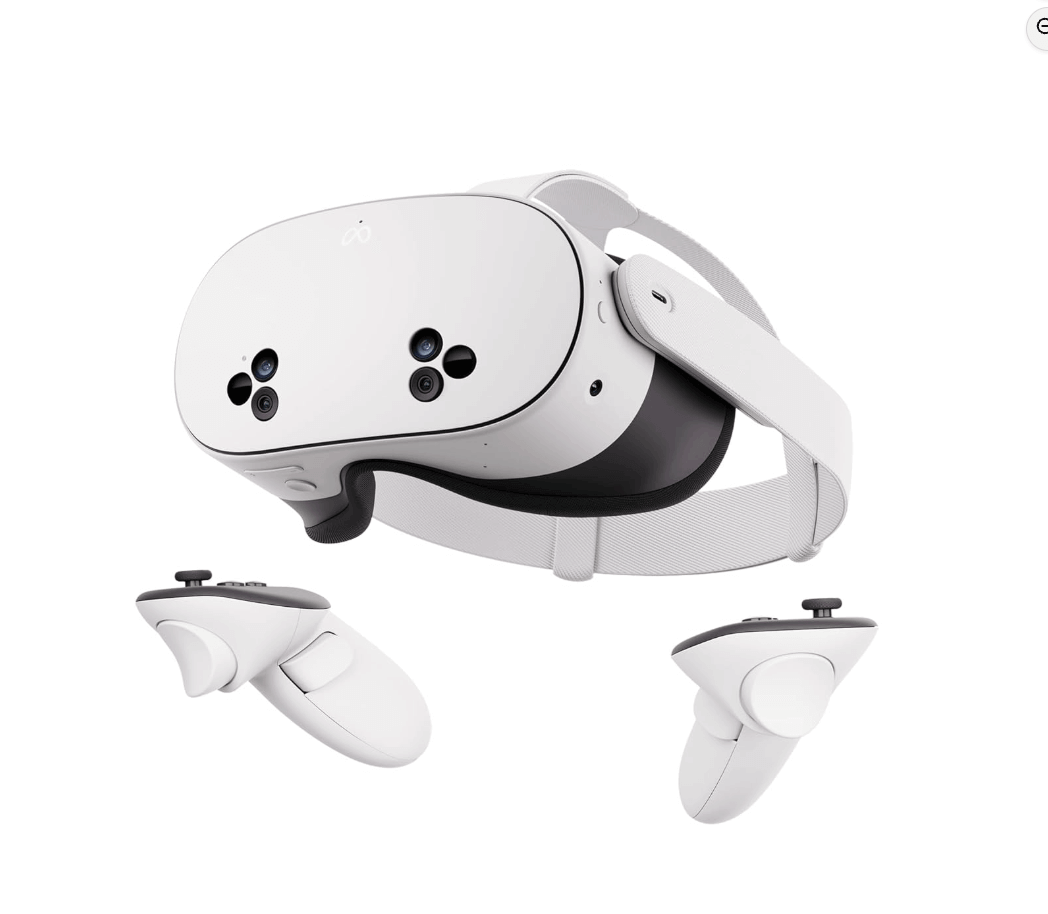
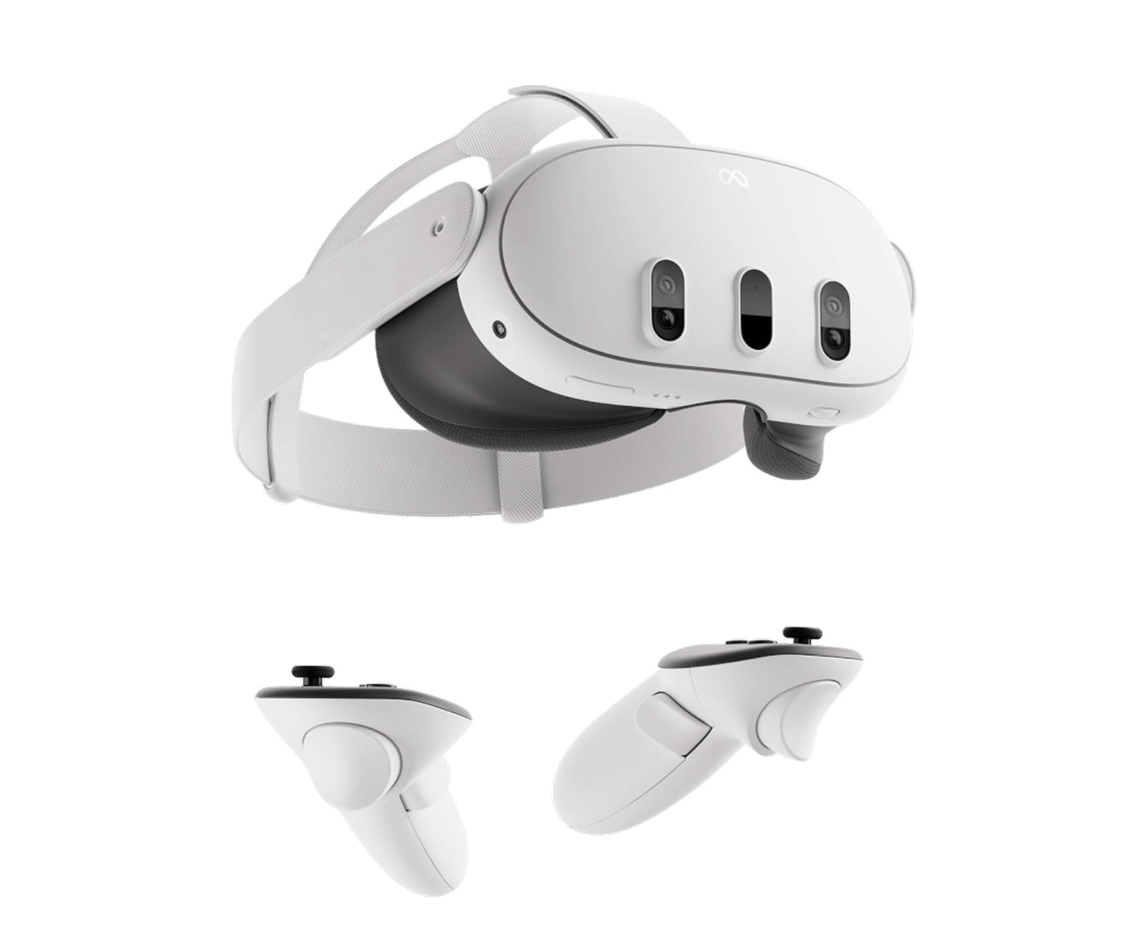
Meta Quest 3 – Best All-Round Choice for Developers
The Meta Quest 3 has become the de facto standard for WebXR development. As a standalone headset, it doesn't require a PC connection, making it incredibly accessible for testing and demonstrations.
Display & Optics:
- Resolution: 2064 × 2208 pixels per eye (nearly 30% more than Quest 2)
- Field of View: 110° horizontal, 96° vertical
- Refresh Rate: 90Hz (120Hz experimental)
- Pancake lenses for improved clarity and reduced form factor
WebXR Features: The Meta Quest Browser offers comprehensive WebXR support including passthrough AR (immersive-ar mode), plane detection, anchors, hand tracking, and hit testing. Recent browser updates introduced Depth API support for instant mixed reality object placement without requiring a pre-scanned Scene Mesh.
Meta provides exceptional developer tools including the Immersive Web Emulator—a Chrome extension that simulates Quest headsets directly in your desktop browser. This allows you to test and debug Three.js WebXR experiences without constantly putting on the headset. They've also released the Reality Accelerator Toolkit, which simplifies integrating mixed reality features with Three.js by providing bindings for XRPlane, XRAnchor, and XRMesh.
Processor: Snapdragon XR2 Gen 2 with double the GPU performance of Quest 2
The Quest 3 runs WebXR content at 90Hz and supports simultaneous hands and controllers—a useful feature for diverse input scenarios in your Three.js applications.
Apple Vision Pro – Premium Spatial Computing
Apple's entry into the XR space brought WebXR support to Safari on visionOS. While positioned as a spatial computing device rather than a traditional VR headset, the Vision Pro offers impressive capabilities for web-based immersive content.
Display & Optics:
- Resolution: 23 million pixels total via micro-OLED displays
- Custom Apple silicon (M2 chip + R1 co-processor)
- Advanced eye tracking and hand tracking at 90Hz
WebXR Features: Since visionOS 2, WebXR is enabled by default in Safari—no more digging through feature flags. Apple worked with the W3C to add a new "transient-pointer" input mode to the WebXR specification, allowing developers to leverage the headset's natural gaze-and-pinch interaction system.
Important consideration: Apple Vision Pro uses hand tracking only (no controllers), so your Three.js application must support hand-based interactions. The transient-pointer mode only reveals where the user is looking at the moment of a pinch, preserving privacy while still enabling intuitive interaction.
Apple also provides the visionOS Simulator for testing WebXR content on macOS, though hand tracking requires a physical device.
Current Limitation: WebXR on visionOS currently only supports immersive-vr sessions. The AR module (immersive-ar with passthrough) is not yet supported, which is somewhat ironic given the device's AR focus.
Samsung Galaxy XR – The Android XR Pioneer
Launched in October 2025, the Samsung Galaxy XR represents the first device running Google's new Android XR operating system. Built in partnership with Google and Qualcomm, it's positioned as a more accessible alternative to Vision Pro.
Display & Optics:
- Resolution: 3552 × 3840 pixels per eye (approximately 27 million pixels total)
- Pixel Density: 4,032 PPI micro-OLED
- Field of View: 109° horizontal, 100° vertical
- Refresh Rate: 72Hz default, with 60Hz and 90Hz options
WebXR Features: Android XR is built on open standards with native support for OpenXR, WebXR, and Unity. Google Chrome on Galaxy XR includes full WebXR support with your existing bookmarks and passwords synced from your Google account.
The platform is designed to be developer-friendly—experiences built with WebXR, OpenXR, or Unity can be easily ported to Galaxy XR. This openness could accelerate the ecosystem compared to Apple's more closed visionOS approach.
Processor: Snapdragon XR2+ Gen 2 (20% faster CPU, 15% faster GPU than standard XR2 Gen 2)
The Galaxy XR supports eye tracking, hand tracking, and optional motion controllers sold separately. Its open periphery design (similar to ski goggles) lets you see the real world around the lenses, creating a more natural mixed reality feel.
HTC Vive XR Elite – Modular Enterprise Option
The Vive XR Elite offers a unique convertible design—remove the battery cradle and it transforms into lightweight glasses. This modularity makes it interesting for various use cases from gaming to enterprise applications.
Display & Optics:
- Resolution: 1920 × 1920 pixels per eye (3840 × 1920 combined)
- Field of View: Up to 110°
- Refresh Rate: 90Hz
- Adjustable diopters for glasses-free use (nearsighted users)
WebXR Features: HTC supports WebXR through the VIVE Browser and Wolvic (an open-source XR browser). While WebXR works in immersive-vr mode, AR passthrough (immersive-ar) has limited support. The device includes hand tracking and controller support.
Processor: Snapdragon XR2 Gen 1
The XR Elite can connect to a PC via cable or Wi-Fi 6E for PC VR content, giving it versatility beyond standalone use. HTC is committed to OpenXR standards, making cross-platform development straightforward.
Battery Life: Up to 2 hours with hot-swappable battery cradles
Pico 4 – Budget-Friendly Alternative
Pico 4 offers solid specifications at a more accessible entry point, making it popular in Europe and Asia. While not as widely adopted for WebXR development as Quest, it's a viable option.
Display & Optics:
- Resolution: 2160 × 2160 pixels per eye (4320 × 2160 combined)
- Field of View: 105°
- Refresh Rate: 72Hz/90Hz
- Pancake lenses with 1200 PPI
WebXR Features: WebXR support on Pico comes primarily through third-party browsers like Wolvic (formerly Firefox Reality). The built-in browser has limited WebXR capabilities. Controller support has been added to WebXR input profiles, though hand tracking in WebXR sessions can be inconsistent.
Processor: Snapdragon XR2 Gen 1
The Pico 4 Enterprise version offers additional features like eye tracking and face tracking. For WebXR development, the consumer Pico 4 works but requires more testing to ensure compatibility compared to Quest devices.
Developer Tips for WebXR with Three.js
Testing Without Hardware: Meta's Immersive Web Emulator and Immersive Web Emulation Runtime (IWER) let you test WebXR experiences in Chrome without a headset. The IWER is particularly useful for automating complex interaction sequences.
Cross-Device Compatibility: Always test on multiple devices. Input handling differs significantly—Quest uses controllers and hands, Vision Pro uses gaze-and-pinch, Galaxy XR supports all three. Use feature detection rather than user-agent sniffing.
Useful Three.js Resources:
- Three.js has built-in WebXR support via
renderer.xr - Use
VRButtonorARButtonhelpers for session management - The Reality Accelerator Toolkit simplifies Meta Quest MR integration
- A-Frame (built on Three.js) offers a declarative approach if you prefer HTML-like syntax
Conclusion
For most Three.js developers, the Meta Quest 3 remains the best choice—affordable, standalone, with excellent WebXR support and robust developer tools. The Samsung Galaxy XR is worth watching as Android XR matures and the ecosystem grows. Apple Vision Pro is compelling for premium experiences targeting Apple users, though the higher barrier to entry limits the audience. HTC Vive XR Elite and Pico 4 serve specific niches but require more testing to ensure WebXR compatibility.
The future of immersive web development is bright. With WebXR support expanding across platforms and Three.js continuing to improve its XR capabilities, building cross-platform VR experiences has never been more accessible.